Talk to your phone.It gets things done.
Say it once. Homeray answers out loud, sets the timer, writes the notes, plans your day and scans your papers. No sign-up, no middleman. Free AI is built in, or use your own key.


- 149ready-made tasks
- 33tools in 7 rooms
- 16free AI add-ons
- 20languages to translate
- 11app languages
- 0ads, sign-ups or Homeray servers
Homeray in 90 seconds.
The real app, from the wake phrase to free AI on a plane. Tap play, with the sound on.
- Say "Hey Home Ray". It wakes up hands-free, if you want it to, and gets things done at once.
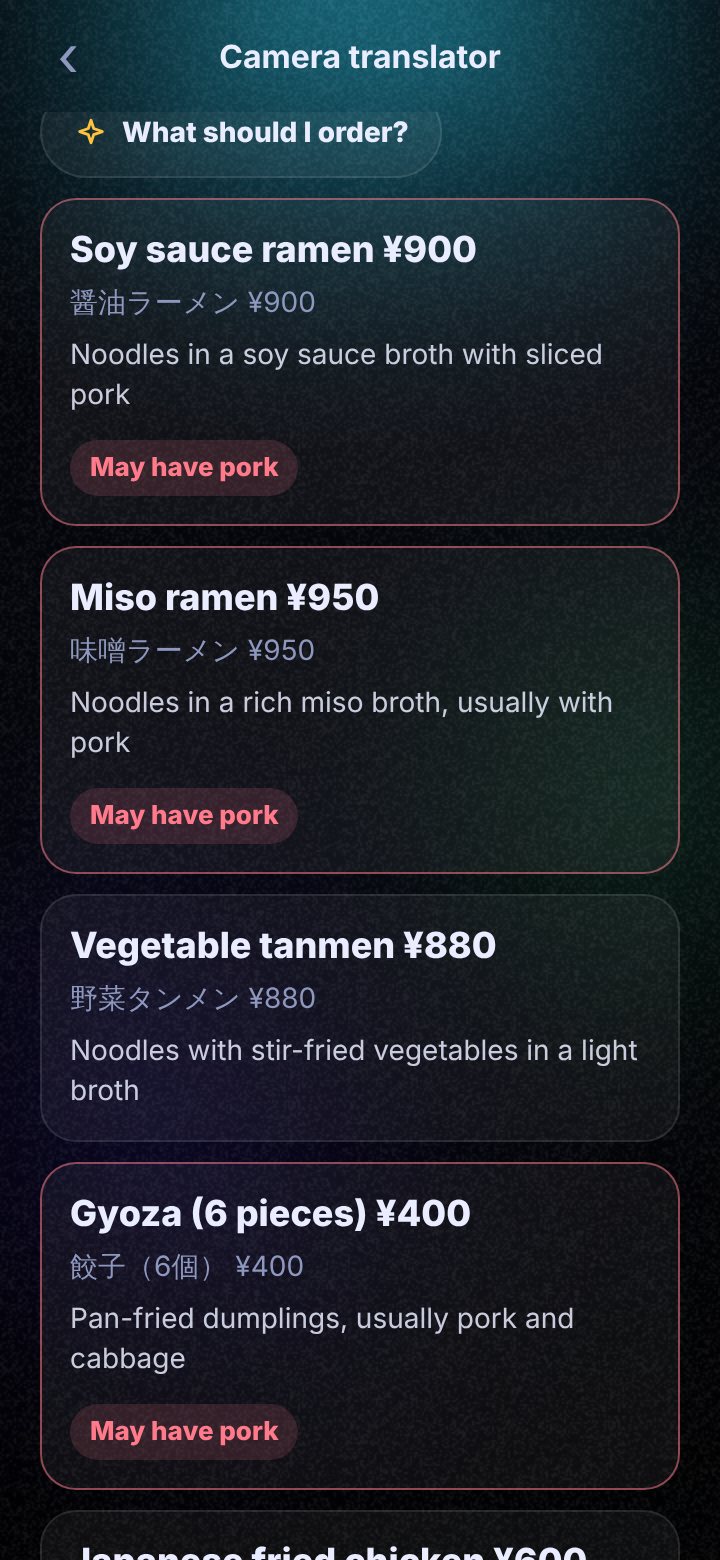
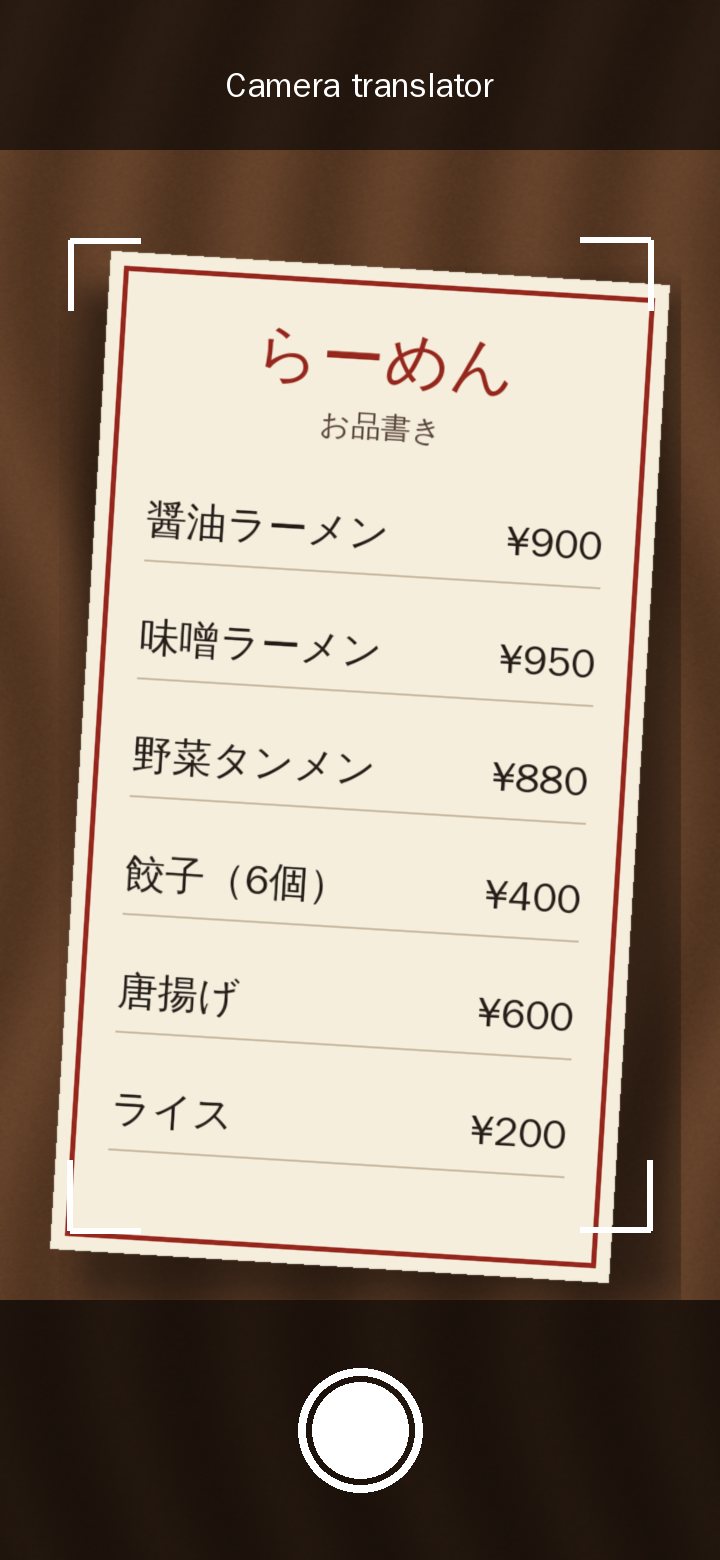
- Point at a menu. Read it in your language, with a warning on dishes that may have pork, alcohol, nuts and more.
- Scan, sign, track money and plan your day. Seven rooms and 149 ready-made tasks.
- Free AI inside. No key, and it still works on a plane.
The voice in the video is a computer voice. The captions are part of the video, and every word is written out below.
Read what is said
- 10 apps for 10 jobs? Meet Homeray.
- Just say "Hey Home Ray". It gets things done. Instantly.
- 7 rooms. 149 tasks. Read any menu. Talk to anyone.
- Scan it. Fill it. Sign it. Record a class. Get the summary.
- Every cent, tracked. Your day, planned for you.
- Your selfie, 14 new looks. Pick your assistant's face. Works in 11 languages.
- Free AI inside. No key. Works on a plane. Tuned to run smoothly on your phone.
- Every tool free. The first 100 people get Pro free for 3 months.
- Homeray. Talk to your phone. It gets things done. Coming soon to Google Play.
Say it. Done.
Small jobs happen right away. Anything that sends, calls or posts waits for your tap.
- Say itTalk like you would to a friend.
- It thinksThe AI works out what you need.
- Small jobs just happenTimers, alarms and maps start at once.
- You stay in chargeMessages and calls wait for your tap.
Tap a question. See the answer.
These are real things Homeray does, shown with sample answers. Nothing here uses AI or your data.
There is no sample for that here yet. Try one of these:
See everything it can do HomeraySample answers
Tap a question or type your own to see how Homeray answers.
- 9:00 Gym (1 hour)
- 10:30 Reply to Sarah (10 min)
- 11:00 Finish your slides
- 5:30 Buy rice on the way home
Anything you do not finish moves to tomorrow.
You can undo or delete it any time.
Just ask. Out loud or by typing.
Homeray listens, thinks and answers in a voice you pick. Keep talking after an answer, attach photos and files, and ask about what is on your screen. Say "Hey Home Ray" if you want it hands-free.
Read what is said
- You: Hey Home Ray!
- (a short chime: it is listening)
- You: What's my day like?
- Homeray: Good morning! You have class at ten, and your team meeting at two. It may rain after four, so bring an umbrella.
Both voices are sample voices made for this demo. Your own voice, and the voice you pick in the app, will sound different.


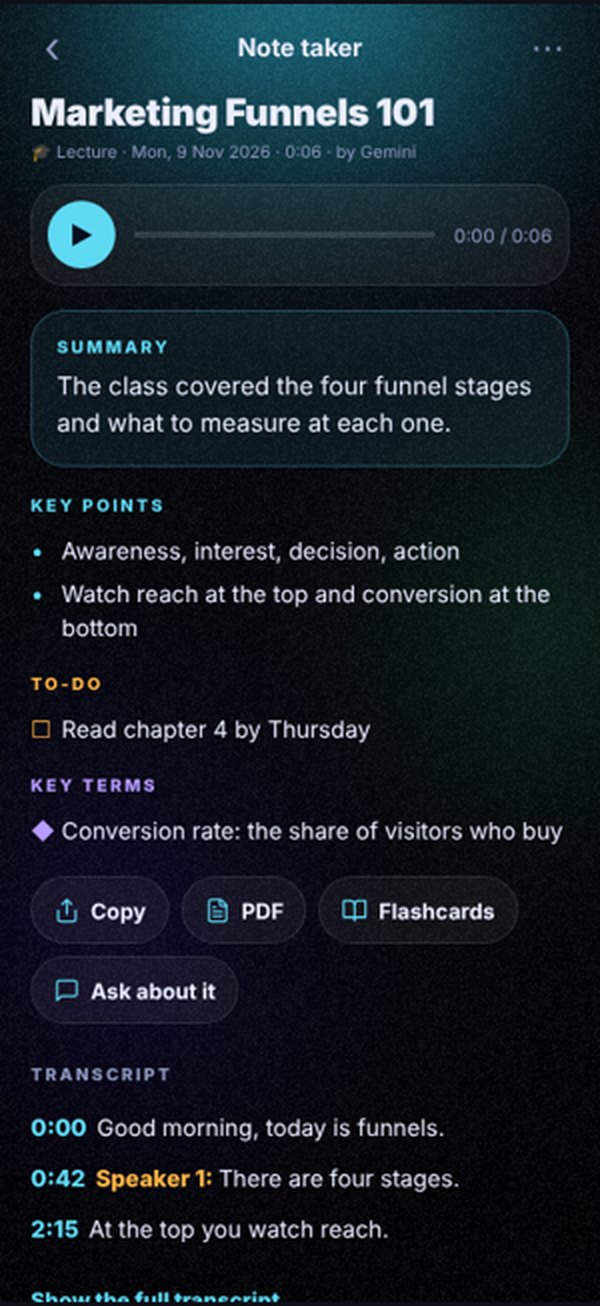
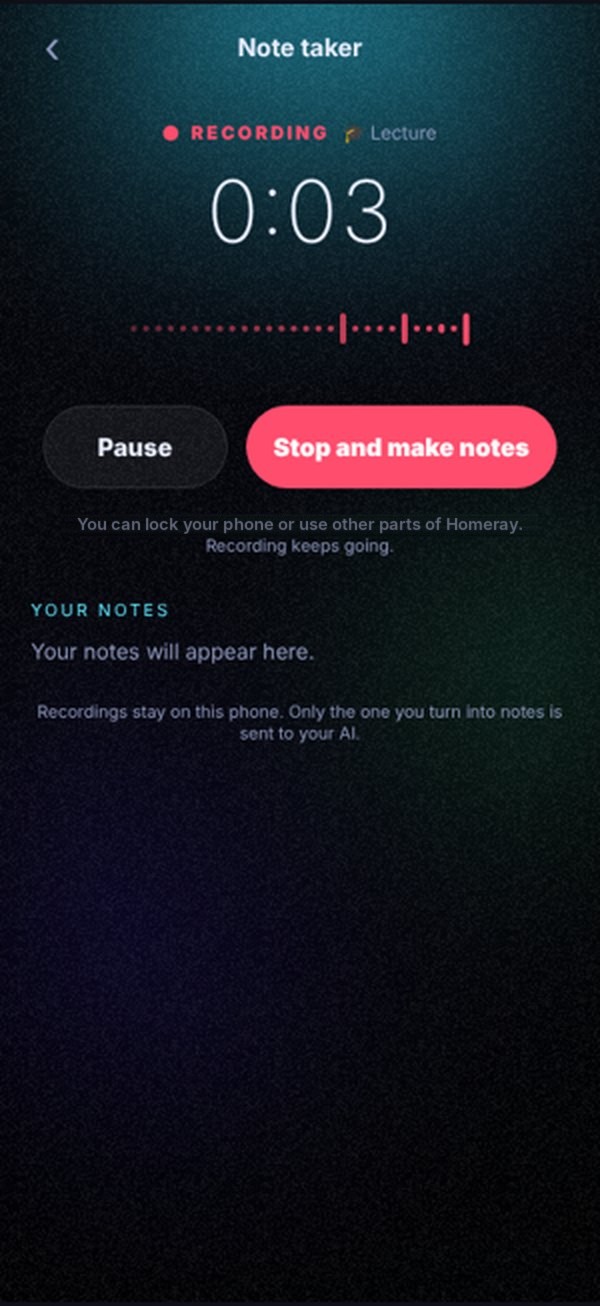
Record the lecture. Get the notes.
Tap record in class or a meeting. Homeray gives you a summary, key points, to-dos and the full transcript. Turn it into flashcards, or ask questions about it later.
Drag the line on the picture to see before and after.
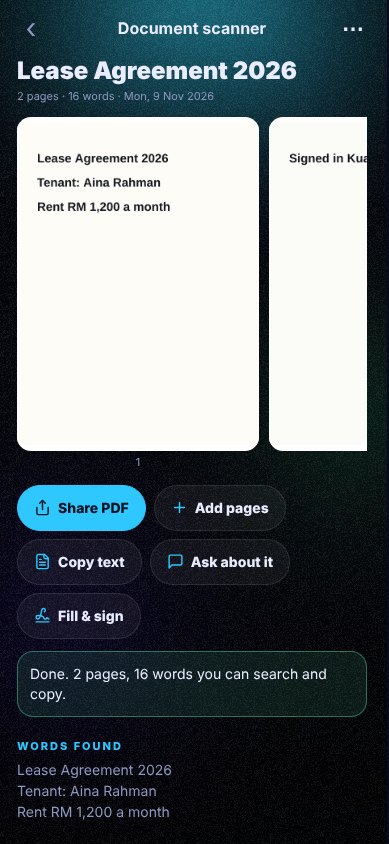
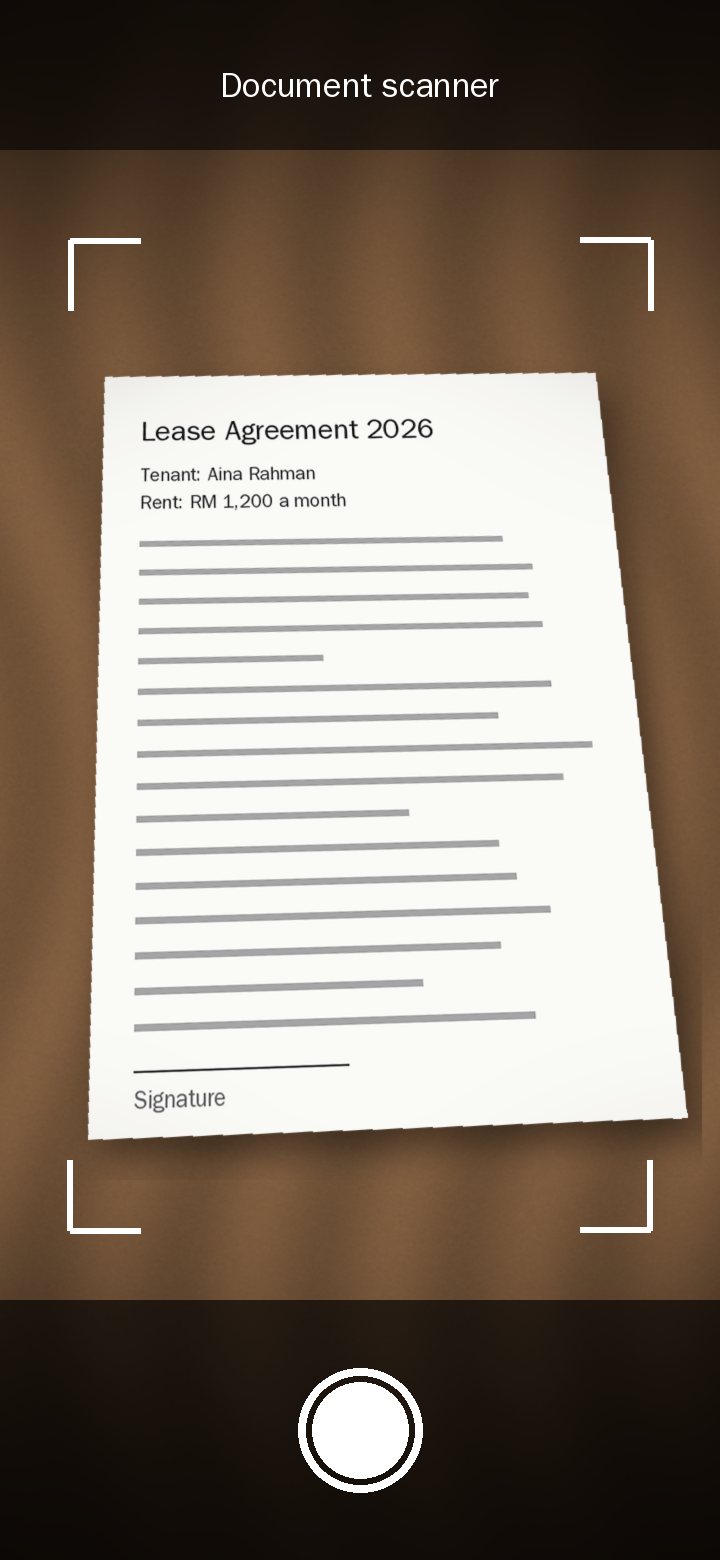
Paper in. PDF out. Scams caught.
Scan documents into clean PDFs, fill and sign forms, save business cards, and make QR codes for your shop. Before you pay, it checks a DuitNow QR code and warns you if someone changed it.

Read any menu. Talk to anyone.
Point your camera at a menu, a sign or a label and read it in your own language. Ask "what should I order?", and it flags dishes that may have pork, alcohol or nuts. Or talk face to face with someone in 20 languages, each of you in your own.
Drag the line on the menu to translate it.

No signal? It still answers.
In a lift, on a train or far from town, Homeray keeps answering with a small AI that lives on your phone. Ask a question, then turn the internet off.
- Download it once. It is free. Wi-Fi is best.
- Private. Offline answers never leave your phone.
- It sees photos too. Add its free eyes once, and it can look at photos and read PDFs offline.
Online AIPhone AI, offline
Tap a question below.
Sample answers. No AI runs on this page. The phone AI is smaller, so its answers are shorter. It steps in by itself when you lose signal. See every free AI.
Here is a calm evening that gets it all done:
- 6:00 Gym, 45 minutes
- 7:30 Dinner with Mum
- 8:45 Slides, with a short break at 9:45
- 10:30 Screens off, sleep by 11
Want an alarm at 8:40 to start the slides?
Phone AI
6:00 gym, 7:30 dinner with Mum, 8:45 slides. Sleep by 11.
Say this:
ありがとうございます
arigatou gozaimasu
It is the polite way, good for shops and people you do not know well. With friends, just say arigatou.
Phone AI
ありがとうございます
arigatou gozaimasu
What is in this photo?
That is nasi lemak: coconut rice with sambal, a fried egg, peanuts, anchovies and cucumber. A classic Malaysian breakfast.
What is in this photo?
Phone AI
Nasi lemak: coconut rice with sambal, an egg, peanuts and anchovies.
Internet off. The phone AI answers now.
Back online. Your online AI answers now.
16 free AI add-ons. No key needed.
14 of them work with no internet at all. The app checks your phone and picks the one that stays smooth on it.
- Qwen 3.5Free on your phone
- Gemma 4140+ languages
- Gemini NanoBuilt into newer phones
- Phi-4 miniStrong at maths
- Gemma 3 1BSmall and quick
- Free cloudNo key, online
- Your laptop AIOver your Wi-Fi
- Your own modelAny .gguf file
- See all 16Free AI add-ons
- Free AI on your phoneQwen 3.5 answers with no key and no internet.
- It sees photosReads signs and checks homework, offline.
- Offline translatorLanguage packs on the phone, 30 MB each.
- Offline voiceVoice typing and read-aloud voices with no signal.
- Bigger brainsGemma 4, Phi-4 mini, Gemini Nano or your own model.
- Your laptop AIUse the AI on your own computer over Wi-Fi.
Seven rooms. One search.
Everyday jobs, sorted the way you think. Open a room, search for a tool, or just say what you need.
Study
Notes, homework and quizzes
- Note taker
- Homework solver
- Study helper
- Chat with files
- Link and YouTube summary
- Deep research
Work
Emails, CVs and replies
- Email writer
- Reply ideas
- Fix my grammar
- Sound natural
- CV and cover letter
Money New
Spending, bills and invoices
- Spending tracker
- Bills and subscriptions
- Savings goals
- Invoices and receipts
- Sales dashboard
- Split bill
- Currency
- Price and profit
Create New
Designs, pictures and posts
- Design studio
- Image studio, 14 photo looks
- Captions and ads
Scan
Papers, cards, QR codes and forms
- Document scanner
- Fill and sign
- Business cards
- QR scanner and maker
Life
Your day, meetings and videos
- Day planner with meeting prep
- Watch later
Translate
Menus, signs and conversations
- Camera translator
- Talk translator
- Translate text
Small things that add up.
A day that plans itself
Say everything on your mind. It sorts the list and fits it around your meetings.
Meeting prep
Fifteen minutes before a meeting: who is coming, the link and three smart questions.
Money helpers
Spending tracker, split bill, currency and invoices for sellers.
Watch later
Share a YouTube, TikTok, Instagram or Facebook link and get a reminder to watch it.
Does phone jobs
Timers, alarms, maps and message drafts. You press the final button.
Smart home
Switch lights through Home Assistant, Philips Hue and more.
Works offline too
A small AI on your phone steps in when there is no internet.
Prayer times
JAKIM times for every zone in Malaysia, with an optional reminder at each prayer. Hide the card any time in My Day settings.
Speaks your language
11 languages in the app and the voice, including English, Bahasa Malaysia and Chinese.
Free AI or your key. Your phone. No server.
Homeray has no accounts and no ads. Nothing is sent or posted without your tap.
Short answers.
Is Homeray free?
Yes. Every tool is free, and the free AI works with no key. Free includes 3 assistants, the Nova and Mochi faces, and the sphere, ring and cube shapes. Pro adds every face and shape, building your own face, unlimited assistants and a moving agent on the floating panel, for US$4.99 a month, or US$29.99 a year with a 7-day free trial. You can also add your own key, such as a free Gemini key. See what the AI costs.
What is an AI key, and do I need one?
You don't need one. Free AI is built in and works with no key. An AI key is a private password from an AI company. If you want a bigger online AI, you can add one from about 10 AI companies, including a free Gemini key offered at setup. It stays in your phone's secure storage. The setup guide shows you how.
Is my data safe?
Your chats and memory stay on your phone. There is no Homeray server and no account. The phone AI sends nothing. The free cloud gets only the words you type. With your own key, your message goes straight from your phone to that AI company, and the key stays in your phone's secure storage. Details are in the privacy policy.
Does it work on iPhone?
Android comes first and is in early access now. It has been tested on a Samsung A52 and a Realme 9 Pro. The iPhone version is on hold for now. Join the list and you will hear first if that changes.
What is the early bird offer?
First 100 people get Pro free for 3 months once Pro goes on sale. It is for Android early access, which comes first. Join early access to claim your spot.
Do I need to know how to code?
No. If you can use WhatsApp, you can use Homeray. If you get stuck, I will help you on a free chat.
Be one of the first to try it.
Early access opens one small group at a time. Ask for your spot now, or book a free 15-minute chat to see it on a real phone first.
Quick question first? Message me on WhatsApp